
How to prepare a messy export for enrichment
Fix the handful of problems that stop rows from matching: missing names, merged cells, odd URLs and oversized files.
Exports from CRMs, event tools and old spreadsheets are rarely tidy. Most rows that don't match fail for a small number of reasons, and each takes a minute to fix.
Ten minutes of preparation usually means far fewer rows marked ineligible.
Step 1: Make sure each row has what a match needs
ContactYard matches a person in one of two ways:
- LinkedIn profile URL. One column is enough.
- First name, last name and company website. All three are needed.
Emails alone won't work, and neither will a company name without a website. If your sheet only has emails, you can't enrich it directly.
Step 2: Split full names and tidy websites
If names sit in one column, split them into first and last. Then check the website column. Fix these common problems:
| Problem | Example | Fix |
|---|---|---|
| Full name in one cell | Priya Nair | Split into Priya and Nair |
| Name with title or note | Dr. Tom Hale (CEO) | Keep Tom and Hale only |
| Website missing | Fernway Ltd | Add fernway.example |
| Email used as website | tom@fernway.example | Use fernway.example |
| Company in the website column | Fernway | Replace with the real domain |
Step 3: Clean the structure of the file
- One header row at the top, and no blank rows above it.
- No merged cells.
- One person per row, not several names in one cell.
- Save as CSV or XLSX, up to 10 MB. If it's bigger, split by region or date.
Tip: Keep your own ID column, such as a CRM record ID. Your original columns come back unchanged, so you can use it to match results to your system.
Step 4: Upload and check the preview
ContactYard shows the first 20 rows after you map your columns. If something looks wrong there, it will be wrong across the file. Cancel, fix the source and upload again.
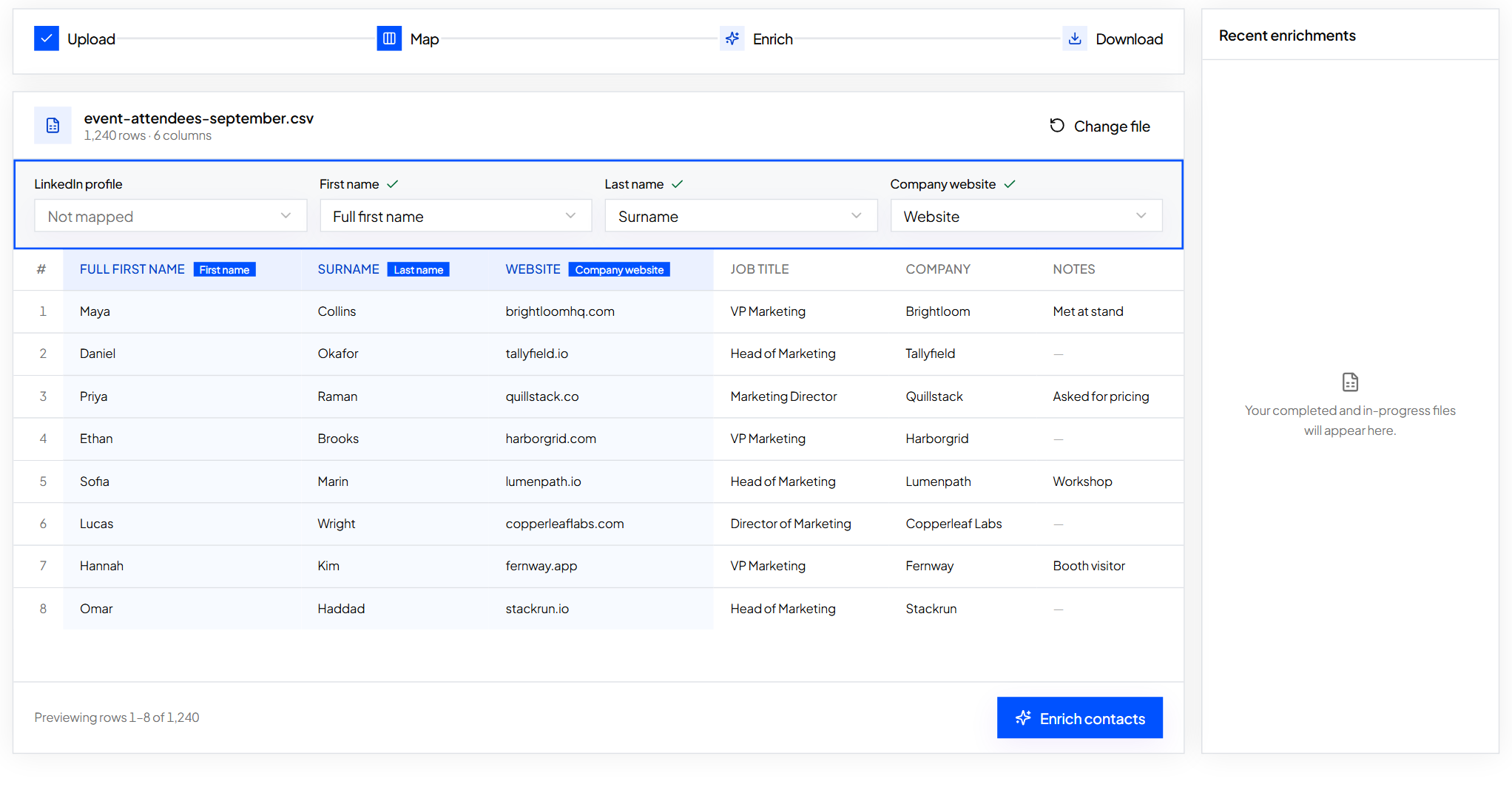
A small checklist
[ ] Header row at the top [ ] First and last name in separate columns, or a LinkedIn URL column [ ] Company website as a domain [ ] No merged cells or blank rows [ ] Own ID column kept [ ] No sensitive data such as health, financial or ID numbers [ ] File up to 10 MB
What to do next
Ready to go? Fill in the missing emails and phones.
Keep reading
How to fill in missing emails and phone numbers in a spreadsheet
Upload a contact file, map your columns, check the preview and get emails and phones added next to your original rows.
How to remove duplicates before you enrich a list
Find repeat contacts in a spreadsheet, choose which row to keep, and know what ContactYard does with duplicates it finds.
Required fields and formats for contact records
A field-by-field standard for contact records: what's required, what format it takes and a check you can run on any list.