
How to find companies that have the problem you solve right now
Target a situation your buyer is in, not just a company profile. Learn which situations ContactYard filters can stand in for.
An ideal customer profile says which companies could buy. It doesn't say which ones need you this month. A company with the problem today replies far more often than one that merely fits on paper.
This guide shows you how to describe the situation first, then find companies that are likely to be in it.
Step 1: Ask what had just happened to your last five buyers
Look at your best customers and ask one question: what changed shortly before they bought? A new boss, a missed target, a failed audit, a team that doubled in size.
Write each answer as a situation, not a company type. “Outgrew spreadsheets” is a situation. “Mid-sized retailer” is a profile.
Step 2: Turn the situation into something you can see from outside
You can't read a company's mind, but you can often spot a sign. Match each situation to a sign, then to the place you'd check it.
| Situation | Visible sign | Where to check |
|---|---|---|
| Outgrew spreadsheets | Team has grown past about 20 to 50 people | ContactYard: Employee Headcount |
| Needs to pass security reviews to win bigger deals | Sells software to large customers | ContactYard: Industry and Keywords |
| Hiring faster than it can onboard | Many open roles | Job boards, then bring the company list |
| Just raised money | Funding news | News sites, then bring the company list |
Step 3: Use the filters that match the sign
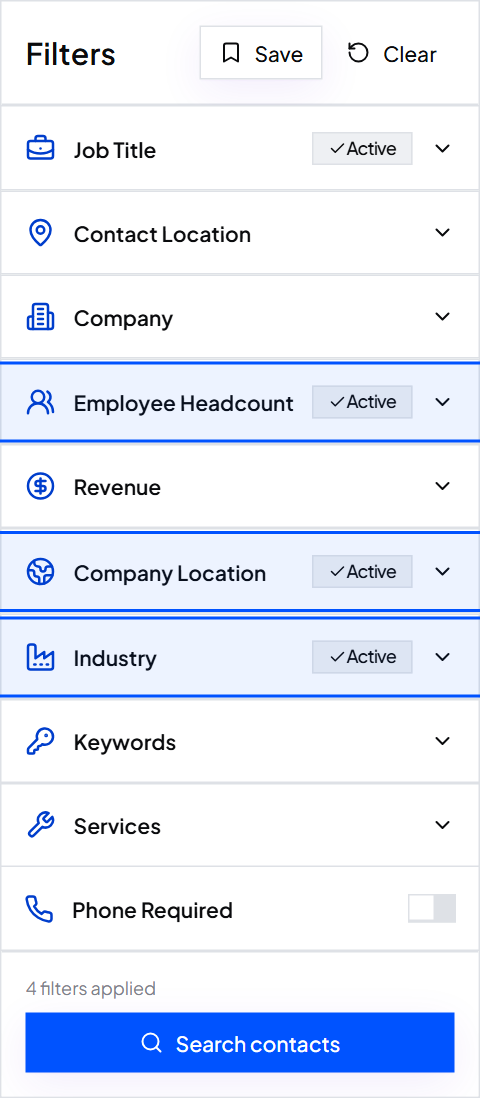
ContactYard can filter on company size, revenue, industry, services, location and keywords. These stand in for many situations:
- Employee Headcount or Revenue for stage and growth problems.
- Services for companies that sell what you'd help with, or the opposite.
- Keywords for words a company in this situation would use to describe itself, such as “compliance” or “multi-location”. Use the exclude box to drop words that signal a poor fit.
Tip: ContactYard doesn't see hiring, funding or the software a company uses. If your situation depends on those, find the companies elsewhere and bring the list over.
Step 4: Check a sample before you commit
Open ten random companies from the results. For each one, ask: do they plausibly have this problem? If fewer than seven do, change a filter and look again.
Step 5: Say the situation in your email, carefully
Describe the situation as something companies like theirs often face. Don't claim you saw it unless you did.
Teams that grow from 20 to 50 people often find [problem] starts to take [time or money]. Is that something you're seeing at {company}?
Common mistakes
- Pretending to know. “I saw you're struggling with…” is wrong when you only guessed from company size.
- One situation for everyone. Write a separate email for each situation you find.
- Skipping the sample check. A filter that sounds right can still pull in the wrong companies.
What to do next
Found companies using another source? Learn how to find the right people at each one.
Keep reading
Got a list of companies? How to find the right people at each one
Paste up to 1,000 company websites into ContactYard, add job titles, and get the people to contact at those companies.
What is an ideal customer profile? (With examples)
What an ICP is, what goes in it, and five examples you can adapt for your own business.
How to split one big list into segments that each get their own email
One email to a whole list sounds like it was written for nobody. Group people by shared situation and write once per group.