
Got a list of companies? How to find the right people at each one
Paste up to 1,000 company websites into ContactYard, add job titles, and get the people to contact at those companies.
Often you already know which companies to target. They might come from a job board, a funding announcement, a customer list or your own research. What's missing is a person at each one.
ContactYard can start from those companies. You paste their websites, choose the job titles, and search. It takes about ten minutes.
Step 1: Get your companies into a plain list of websites
You need one website per company. Use the short form, like northwind.com, with no https:// or page paths. One per line works best.
Only have company names? Look up the websites first. Names are easy to mix up, and websites aren't.
Step 2: Paste them into Company Domain
In the filter panel, open Company Domain and paste your list. You can add up to 1,000 websites in one search. Commas and new lines both work.
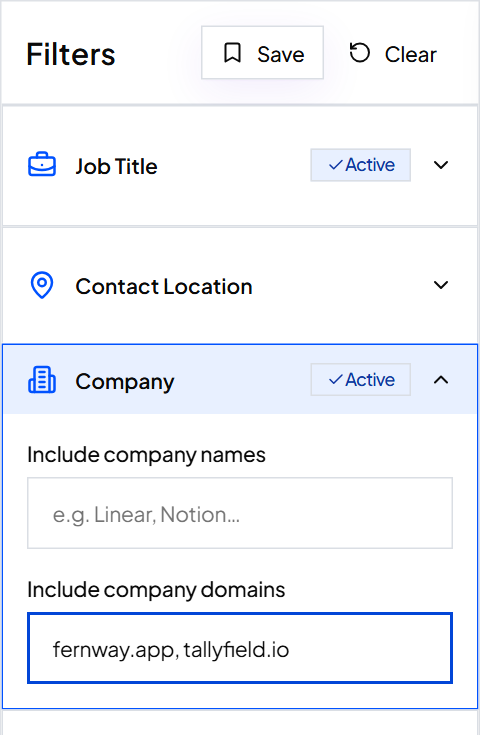
Tip: Have more than 1,000 companies? Split them into batches of 1,000 and save each batch as its own search.
Step 3: Add the job titles you want
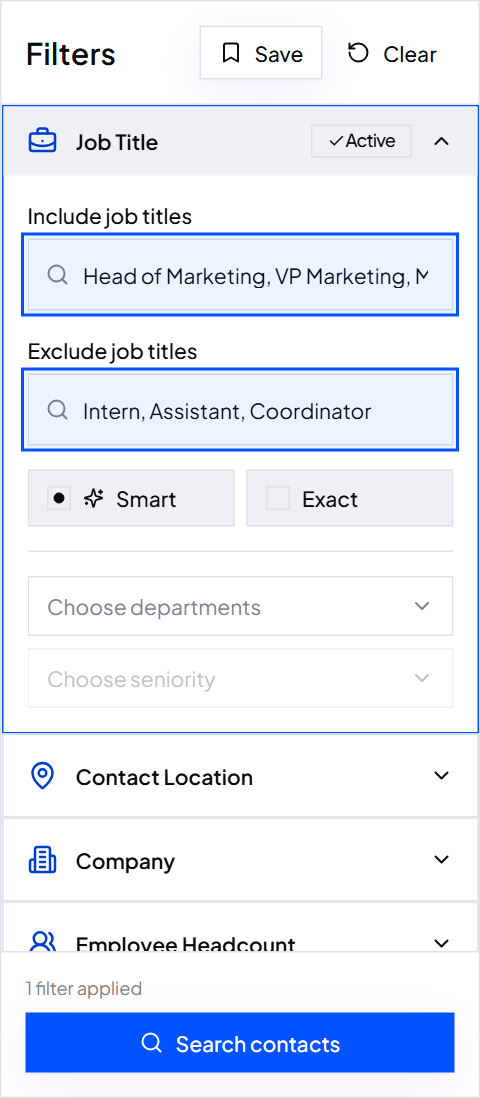
Without a title filter you'd get everyone. Add two to five titles for the person who decides, like Head of Operations, VP Operations and Operations Director.
Add titles to Exclude job titles too, such as Intern and Assistant. See how job title matching works.
Step 4: Search and read the total
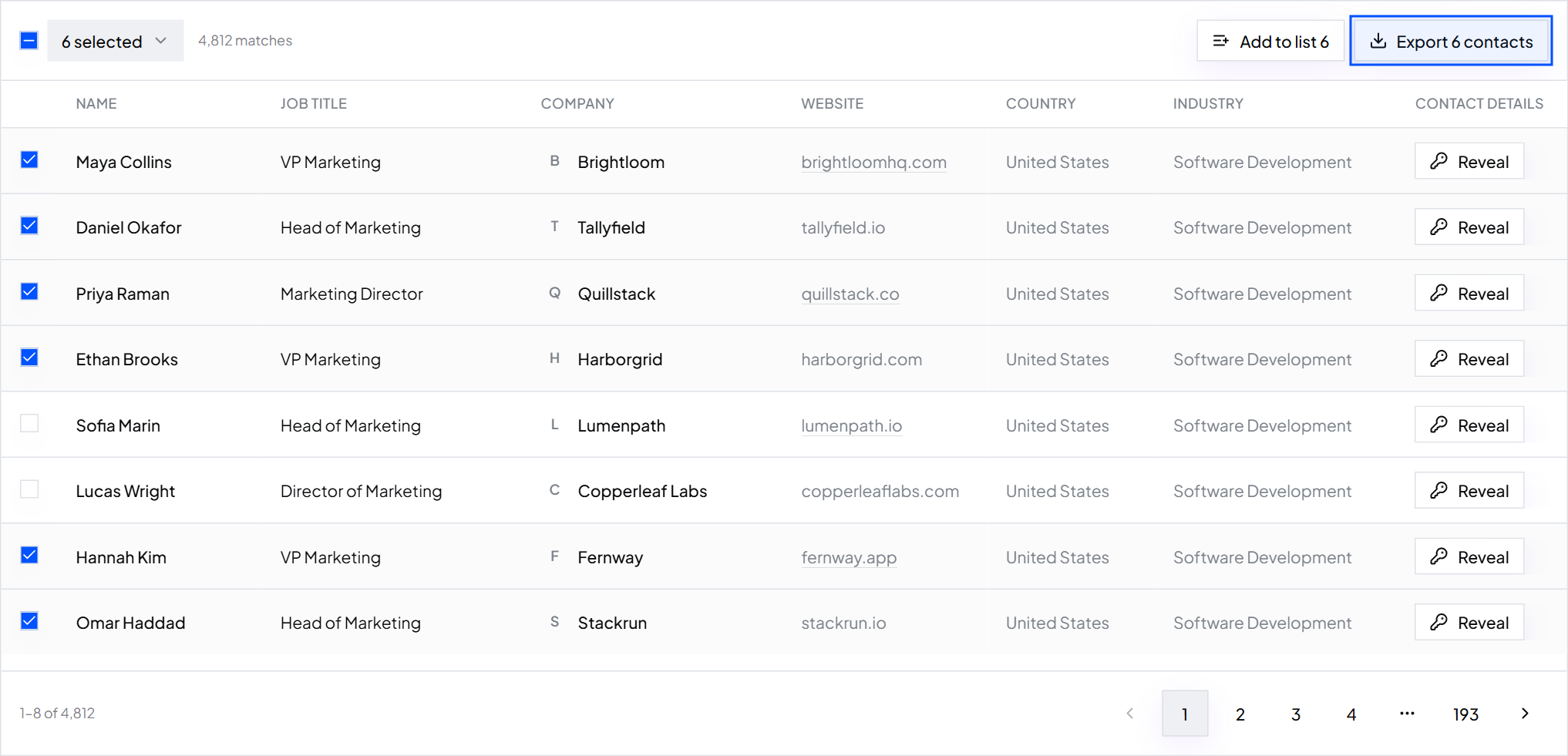
Click Search contacts. A few companies will return several people and some will return none. That's normal. A tiny company may only have one person in the right role.
Step 5: Find the companies that came back empty
Export the results, then compare the Website column against your original list. In a spreadsheet, a COUNTIF formula marks which websites never appear.
For those companies, run a second search with wider titles, such as a Founder or Owner for small teams. Save it as a second search so you don't mix the two groups.
Common mistakes
- Pasting company names and websites together. Use websites only.
- Using one title for all companies. The right person at a 15-person company is not the one at a 500-person company.
- Sending to everyone returned. Cap the list at one or two people per company.
What to do next
Before you send, clean the list: remove competitors, customers and the wrong titles.
Keep reading
How to clean a list before you send: role inboxes, competitors and wrong titles
A short checklist to remove the contacts that waste sends or hurt your reputation, before you email anyone.
How to find companies that have the problem you solve right now
Target a situation your buyer is in, not just a company profile. Learn which situations ContactYard filters can stand in for.
The columns a send-ready list needs
A column-by-column checklist for the sheet you import into your email tool, with a header row you can copy.