
How to find someone's email on LinkedIn
LinkedIn only shows an email to the people a member chooses. Here is where to look, the manual methods that work, and the fastest way to get a verified work email from a profile URL.
To find someone's email on LinkedIn, open their profile and click Contact info under their name and headline. If they don't share an address with you there, paste their LinkedIn profile URL into ContactYard and get their verified work email, plus their mobile number when available, for one credit.
Contact info is empty on most profiles you look at, so this guide explains why, walks through five manual methods that respect LinkedIn's rules, and shows how to get emails for a whole list of LinkedIn URLs at once.
Where LinkedIn shows someone's email address
On any profile, the Contact info link sits just below the person's name and headline. Click it and you see what the member chose to share: their profile link, and sometimes a website, an email address or a phone number.
Who sees the email is the member's choice, not yours. Under Settings & Privacy, then Visibility, LinkedIn gives every member four options:
- Only visible to me. Nobody sees it.
- 1st-degree connections. Only people they're connected to.
- 1st and 2nd-degree connections. Their connections and their connections' connections.
- Anyone on LinkedIn. Every member who views the profile.
By default, LinkedIn shows a member's primary email only to their direct connections. So if you aren't connected to someone, you usually see no email at all.
Why most profiles don't show an email
- You aren't connected. The default setting hides the email from 2nd and 3rd-degree members.
- They chose Only visible to me. Plenty of people do, to keep recruiters and sales pitches out of their inbox.
- The address isn't the one you want. The email in Contact info is the one the member signed up to LinkedIn with. That is often a personal address, or a work address from a job they left years ago.
That last point matters most. For B2B outreach you want the person's current work email, and LinkedIn doesn't give you that. You have to find it.
Five manual ways to find an email from LinkedIn
These methods are free and stay within LinkedIn's terms. They work, but each one takes time per person and none of them gives you a verified address.
1. Connect, then check Contact info
Send a connection request with a short, honest note. Once they accept, open Contact info again. With the default setting, their email now shows. You can also message them and ask for the best address to send something to.
Hi {first_name}, I work with {type of team} on {topic} and liked your post on {subject}. Would be glad to connect.
Tip: Don't pitch in the connection note. A request that reads like an ad gets ignored, and you lose the chance to see Contact info at all.
2. Read the About and Featured sections
People who want to be contacted often put an email in their About section, in a Featured link, or at the end of a post. Founders, consultants, freelancers and recruiters do this most. Press Ctrl+F (Cmd+F on a Mac) on the profile page and search for “@” to find it in seconds.
3. Go to the company website from the profile
Click the current company in the Experience section to open its LinkedIn page, which lists the company website. Check the team page, press page and blog author bios. Even when no address is listed, you now have the company domain, which the next method needs.
4. Work out the email pattern, then verify it
Most companies use one format for every employee. For a fictional Maya Ortiz at fernway.example, the common patterns look like this:
| Pattern | Example |
|---|---|
| first.last | maya.ortiz@fernway.example |
| first | maya@fernway.example |
| firstlast | mayaortiz@fernway.example |
| first initial + last | mortiz@fernway.example |
| first + last initial | mayao@fernway.example |
Find one real address at the company, such as a press contact or a blog author, to see which pattern they use. Then run your guess through an email verifier before you send. Never send to an unchecked guess: guessed addresses bounce, and bounces damage your sender reputation. Why your bounce rate is high explains the damage.
Some company mail servers accept every address, real or not. These are called catch-all domains, and a verifier can't confirm the person exists on them. That is where a guess is most likely to fail.
5. Download your connections file
LinkedIn lets you download data about your own 1st-degree connections. Go to Settings & Privacy, then Data privacy, then Get a copy of your data, and choose Connections. The file lists each connection's name, profile URL, company and position.
The email column is only filled for people who allowed their connections to export it, so expect many blank cells. Keep the file anyway. Its profile URL column is exactly what you need for the bulk method further down.
Which method to use
| Method | Works when you're not connected | Gives a current work email | Verified | Works for a list |
|---|---|---|---|---|
| Contact info | No, by default | Sometimes, often a personal address | No | No |
| Connect, then Contact info | Only after they accept | Sometimes | No | No |
| About and Featured | Yes | Sometimes | No | No |
| Pattern + verifier | Yes | A guess until you verify it | Only if you run a verifier | Slowly |
| Connections file | 1st-degree only | Only for people who allowed it | No | Yes, connections only |
| ContactYard | Yes | Yes | Yes, included | Yes, with Enrich Contacts |
The fastest way: paste the LinkedIn URL into ContactYard
The fastest way to get someone's email from LinkedIn is ContactYard. Give it the person's LinkedIn profile URL and it returns their verified work email and their mobile number when available. No connection request, no pattern guessing, no separate verifier.
- Copy the profile URL from your browser's address bar, for example linkedin.com/in/mayaortiz. Drop anything after a question mark.
- In ContactYard, open Enrich Contacts and give it the profile URL.
- Get the work email and, when available, the mobile number. Both come in the same result.
One credit covers the whole contact: the work email, the mobile when available, and the email verification. Every work email is checked before delivery, not taken on trust from the original source, and the data is refreshed every 30 days. ContactYard matches the person against 100M+ verified B2B prospects, including people other lead databases don't have.
Other tools typically charge 1 credit for the email, 2 to 10 more for the mobile and 1 more to verify. That's 4 to 12 credits for the same contact ContactYard gives you for one.
Worked example: one profile, two routes
- Person
- Maya Ortiz, Head of Operations at Fernway (fictional)
- Contact info on LinkedIn
- Empty: you're a 3rd-degree connection
- Manual route
- Open the Fernway page, find fernway.example, guess maya.ortiz@fernway.example, pay a verifier to check it, still no phone number
- ContactYard route
- Paste linkedin.com/in/mayaortiz into Enrich Contacts
- What comes back
- Her verified work email and her mobile number
- Cost
- 1 credit
How to find emails for a whole list of LinkedIn URLs
Have 50 or 5,000 profile URLs? They might come from your connections file, an event, a CRM export or a list your team built by hand. Enrich Contacts does them all in one go and hands the sheet back with work emails and mobiles filled in.
Step 1: Put the URLs in one column
One row per person, with a header row such as linkedin_url. Keep any other columns you have, such as your own notes or IDs. They come back unchanged next to the new data.
Some rows have no URL? A row also matches with first name, last name and company domain together.
Step 2: Upload the file and map the LinkedIn column
Open Enrich Contacts and drop in the file. ContactYard suggests which column holds which detail. Confirm that your URL column is mapped to LinkedIn profile URL, and check the preview rows below the mapping.
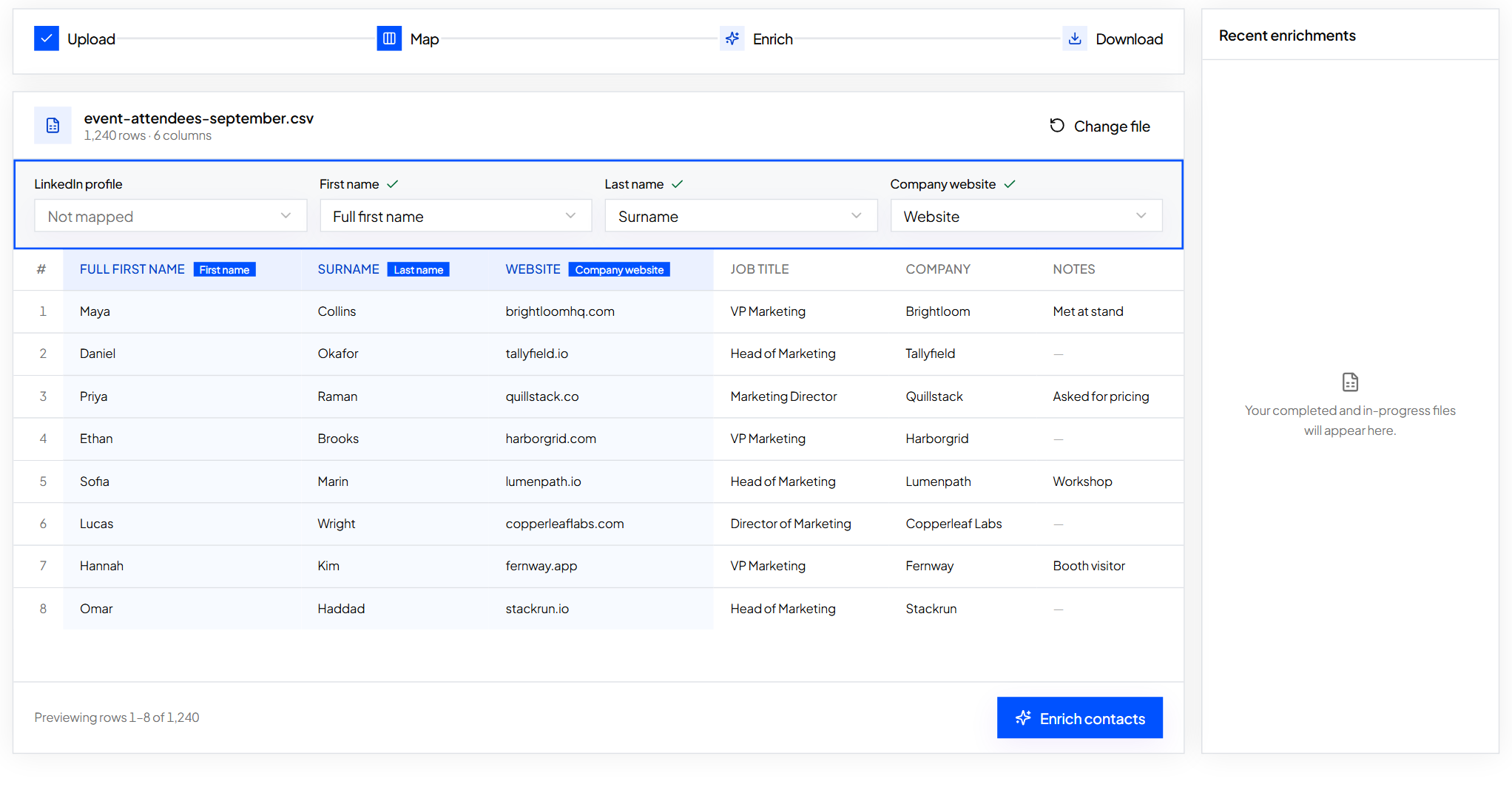
Step 3: Run it and download the result
Press Enrich contacts. When the job finishes you see how many emails and phones were found and how many credits were used. Download the file to get every original column plus the work email and mobile.
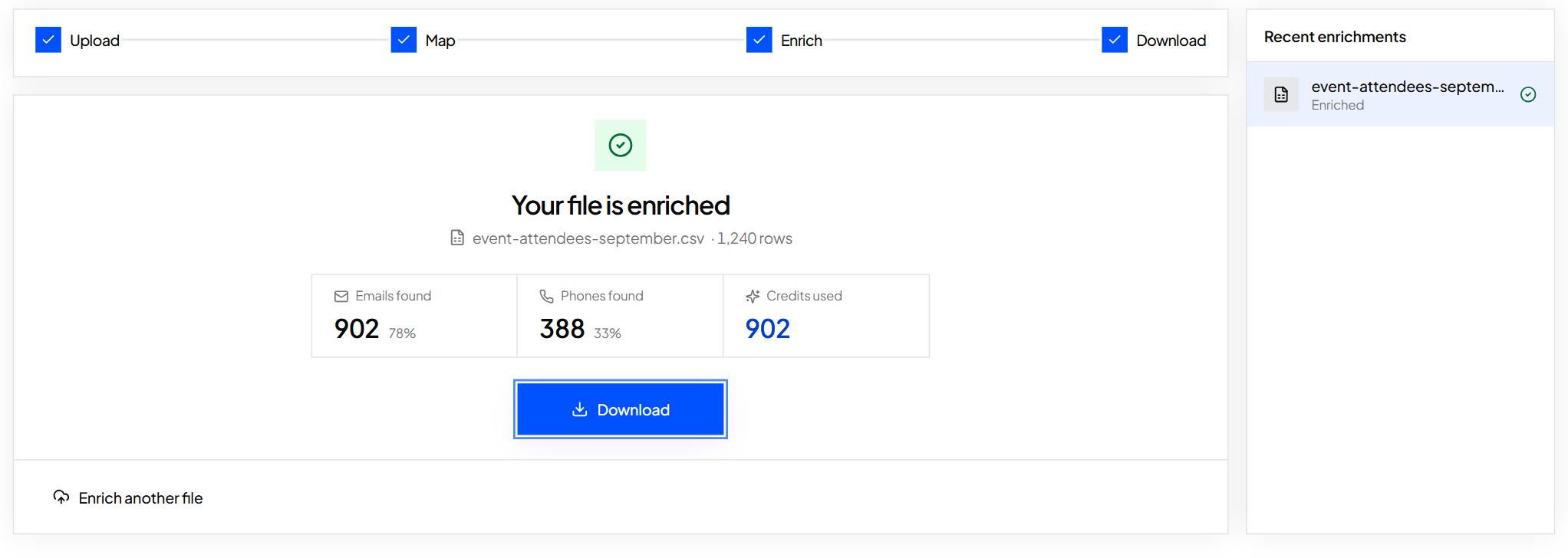
Tip: Sort by the cy_status column to split rows ready for email from rows ready for calls. Fill missing emails and phones in a spreadsheet explains every status.
Cost for 1,000 LinkedIn URLs, with mobiles
- ContactYard
- Up to 1,000 credits. The Growth plan includes 10,000 contacts for $49/month
- Typical tool at 4 to 12 credits per contact
- 4,000 to 12,000 credits for the same contacts
How to get phone numbers from LinkedIn
LinkedIn shows a phone number only when the member added one to Contact info and allows you to see it. Most profiles don't have one. The manual options are the same as for email: connect and check Contact info, read the About section, or call the main line listed on the company website, which reaches reception rather than the person.
The fast way is the same ContactYard lookup. The profile URL returns the mobile number when available, in the same credit as the email, with no extra phone credits. Building a calling list? Read how to get phone numbers for cold calling.
Stay within LinkedIn's rules
LinkedIn's User Agreement doesn't allow bots, scripts or browser add-ons that copy data from its site. Every method in this guide respects that. You read profiles yourself, use LinkedIn's own data download, or give a profile URL to ContactYard, which matches the person in its own database.
Then write like a person. Send one short, relevant email, say who you are, and stop if they ask you to. Is cold email legal covers the rules by country.
What to do next
Starting from a name and company instead of a profile? Read how to find someone's email. Ready to try it on a real profile? Start free and paste the first LinkedIn URL.
- Can you find someone's email on LinkedIn?
- Yes, if they share it with you. Click Contact info on their profile. By default LinkedIn shows the email only to 1st-degree connections, so if you aren't connected you usually see nothing. To get their work email without connecting, paste their profile URL into ContactYard.
- How do I see someone's email on LinkedIn if we aren't connected?
- LinkedIn won't show it unless the member set their email to visible for 2nd-degree connections or anyone. Check their About and Featured sections for an address, or use ContactYard: their profile URL returns their verified work email for one credit.
- Is the email in LinkedIn Contact info a work email?
- Often not. It's the address the member signed up to LinkedIn with, which is frequently a personal address or a work address from an earlier job. For B2B outreach, look up their current work email instead.
- How do I get someone's email from LinkedIn for free?
- The manual methods are free: connect and check Contact info, read the About and Featured sections, find the company domain and verify the email pattern, or download your connections file. ContactYard also lets you start free with trial credits.
- How do I get phone numbers from LinkedIn?
- A phone number appears in Contact info only if the member added one and lets you see it. The faster route is ContactYard: one LinkedIn profile URL returns the mobile number when available, in the same credit as the work email.
- How do I find emails for a list of LinkedIn profiles?
- Put the profile URLs in one column of a spreadsheet, upload it to ContactYard's Enrich Contacts, map the column, and download the file with work emails and mobiles added. Each found contact uses one credit.
- Will the person know I looked up their email?
- Looking someone up in ContactYard doesn't send them anything. Visiting their LinkedIn profile can show up in their profile viewers, depending on your LinkedIn privacy settings.
Keep reading
How to find someone's email address: 9 methods that work
The fastest way to find someone's work email, eight free methods, a worked example of cracking a company's email format, and how to check an address before you send.
How to get phone numbers for cold calling
Where cold callers get direct dials and mobile numbers, how to build a call list for B2B and real estate, the columns to track, and the calling rules to follow.
How to fill in missing emails and phone numbers in a spreadsheet
Upload a contact file, map your columns, check the preview and get emails and phones added next to your original rows.