
How to build a doctor email list
To build a doctor email list, decide who buys at the practice size you sell to, then filter a B2B database by the medical practice industry, physician and manager job titles, territory and headcount. Export only verified work emails.
A physician email list for an EHR vendor looks nothing like one for a staffing firm or a device maker. Build the list around the buyer, not around every doctor in the country.
Who to target at a medical practice
| Practice type | Employee Headcount | Who signs | Job titles to search |
|---|---|---|---|
| Solo and small practices | 1 to 10, 11 to 20 | The owner physician, with the practice manager | Physician, Owner, Practice Owner, MD, DO, Practice Manager |
| Group practices | 21 to 100, 101 to 250 | Managing partner or medical director, with an administrator | Medical Director, Managing Partner, Practice Administrator, Practice Manager |
| Large groups and hospitals | 251 to 500, 501 to 1000, 1001 to 5000 and up | Department heads and a formal vendor review | Chief Medical Officer, CMIO, VP of Revenue Cycle, Director of Supply Chain, CIO |
Employee Headcount counts everyone, so a 15-person practice may have only 3 physicians.
Who to email by what you sell
| You sell | Small practices | Groups and hospitals |
|---|---|---|
| Medical software and EHR | Owner physician, Practice Manager | CMIO, CIO, Director of IT |
| Billing and RCM | Practice Manager, Owner | VP of Revenue Cycle, CFO, Billing Manager |
| Medical devices and supplies | Physician, Practice Manager | Director of Supply Chain, Purchasing Manager, Department Chair |
| Physician staffing | Owner, Medical Director | Chief Medical Officer, Physician Recruiter, VP of Operations |
| Practice consulting | Owner, Practice Owner | Managing Partner, Practice Administrator, COO |
- Practice manager first: in small practices the manager runs vendors, billing and ordering. Email them alongside the owner.
- Physicians for clinical products: devices and specialty supplies need the doctor who uses them.
- Specialties buy differently: a cardiology group and a pediatric practice need different pitches. Save one search per specialty.
Nurse leaders are a separate list with their own titles; this one stays on physicians and practice leaders. For deals with several sign-offs, see how to find decision makers in a company.
How to build it in ContactYard
ContactYard searches 100M+ verified B2B prospects. The example follows Fernway Billing, a fictional Ohio billing company that wants owner physicians and practice managers at small practices.
Step 1: Set the industry to medical practices
In Industry, choose Healthcare, sub-industries Medical Practices and Physicians. Add Medical Services under Services to tighten it.
Selling to hospitals instead? Pick Hospitals and Hospitals and Health Care, and keep that list in its own saved search.
Step 2: Set territory and headcount
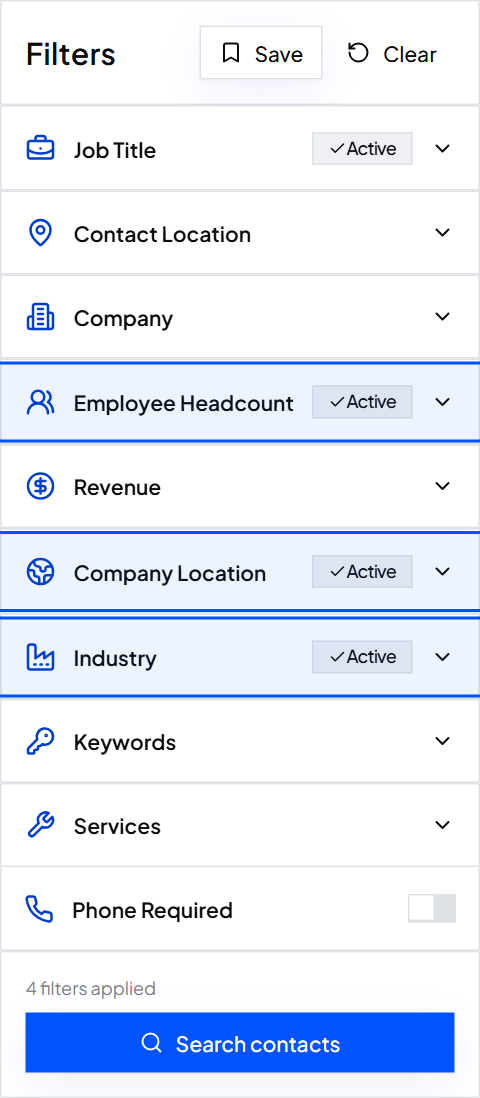
In Company Location, add your states or cities; Fernway adds Ohio. Under Employee Headcount, it picks 1 to 10 and 11 to 20 to keep groups and hospitals out.
Step 3: Add the job titles
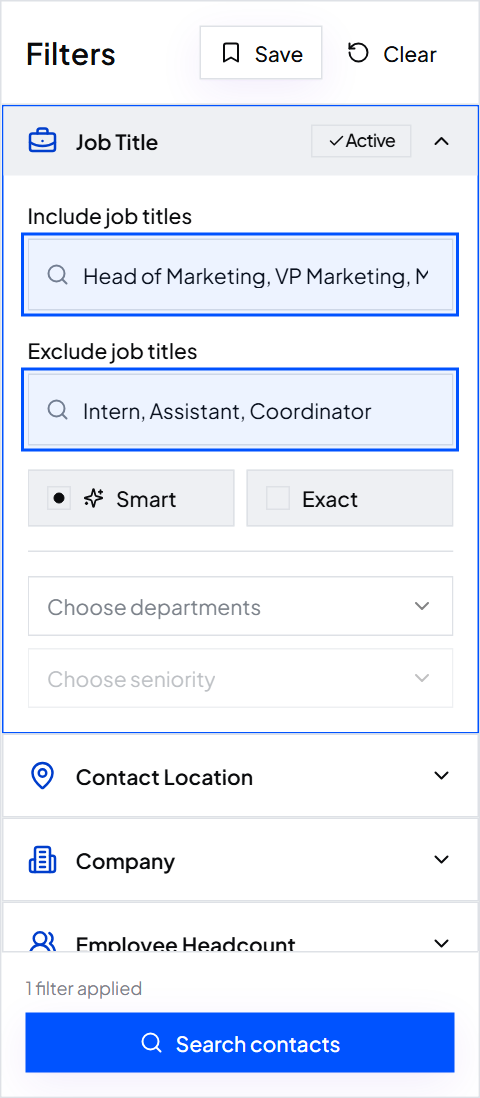
In Job Title, add Physician, Owner, Practice Owner, Medical Director, MD, DO and Practice Manager. Many doctors list the degree as their title. Leave matching on Smart.
For a specialty, add it as a title: Cardiologist, Dermatologist, Orthopedic Surgeon, Pediatrician, Family Physician or Internal Medicine Physician.
Under Exclude job titles, add Nurse, Medical Assistant, Resident, Student, Pharmaceutical Sales and Product Owner.
Step 4: Require an email, and a phone if you call
Turn on Email required, and Phone required for a call list. One credit covers the verified work email, the mobile when available and the verification.
Step 5: Check, save and export
Open 10 to 20 rows and check each is a practice in your territory with a physician or manager. Click Save; data refreshes every 30 days, so next month's rerun pulls new practices.
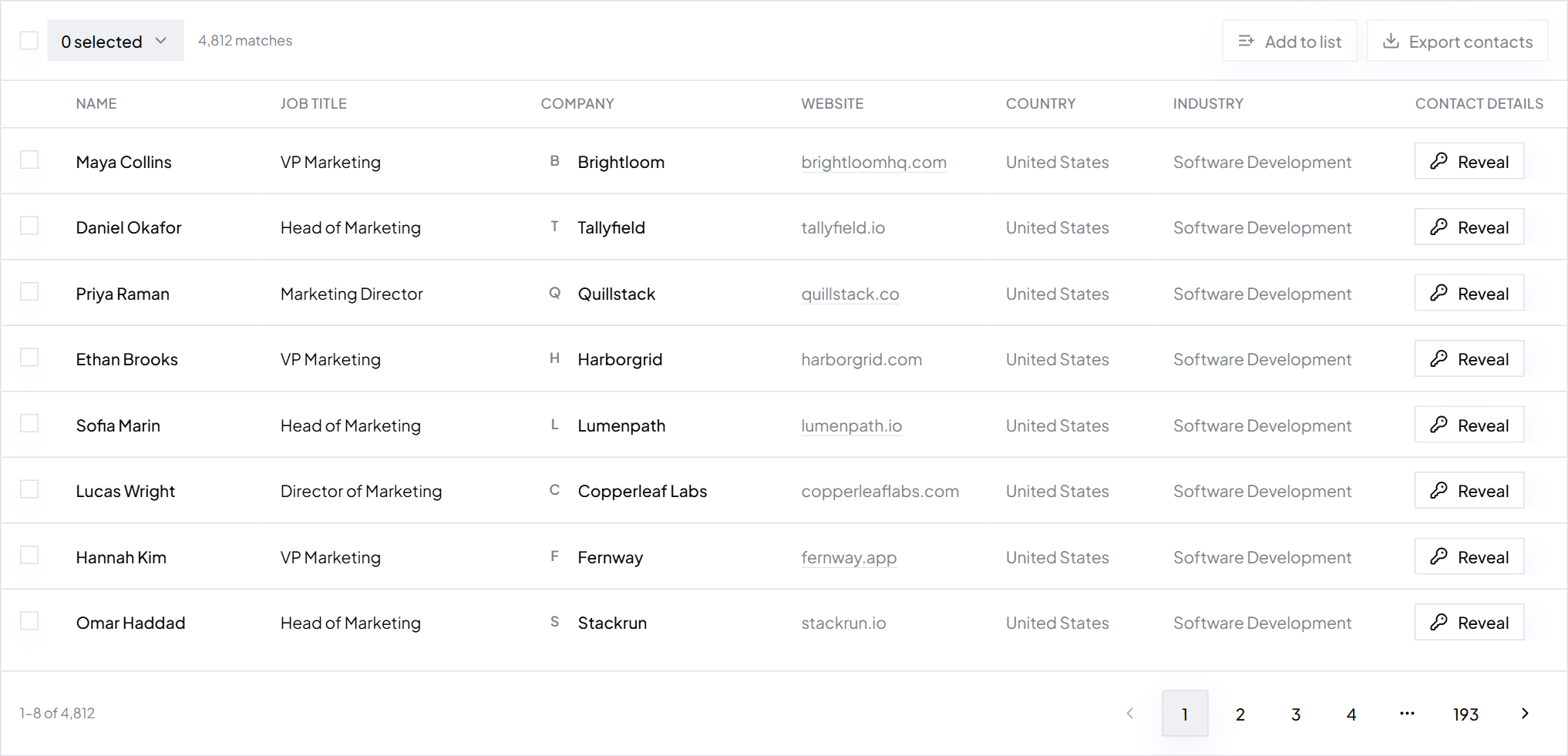
Export the CSV with name, title, verified work email, phone, company, website and LinkedIn URL, then import it into your sending tool or CRM.
Filter recipes for common doctor lists
| List | Industry | Job titles | Employee Headcount |
|---|---|---|---|
| Owner physicians | Healthcare > Medical Practices, Physicians | Physician, Owner, Practice Owner, MD, DO | 1 to 10, 11 to 20 |
| Practice managers | Healthcare > Medical Practices, Physicians | Practice Manager, Practice Administrator, Office Manager | 1 to 10, 11 to 20, 21 to 100 |
| Specialty groups | Healthcare > Medical Practices, Physicians | Cardiologist, Dermatologist, Orthopedic Surgeon, Medical Director | 21 to 100, 101 to 250 |
| Hospital physician leaders | Healthcare > Hospitals, Hospitals and Health Care | Chief Medical Officer, Medical Director, Department Chair | 501 to 1000, 1001 to 5000, 5001 to 10000 |
| Hospital revenue cycle | Healthcare > Hospitals, Hospitals and Health Care | VP of Revenue Cycle, Director of Revenue Cycle, CFO | 251 to 500 and up |
| Hospital supply chain | Healthcare > Hospitals, Hospitals and Health Care | Director of Supply Chain, Purchasing Manager, Value Analysis Manager | 251 to 500 and up |
Already have target practices? Paste up to 1,000 websites into Company Domain, or upload your spreadsheet to Enrich Contacts. The same method builds a dentist email list or a lawyer email list.
Keep the list clean
- Verified by default: every ContactYard work email is verified before you get it.
- Skip front desk inboxes: info@ and appointments@ reach reception, not the buyer.
- Rerun monthly: physicians move between groups and practices get acquired, so old exports bounce.
- Drop bounces from every future send.
Working from a file you got elsewhere? Clean the list before you send.
Build or buy a physicians email database?
| Ready-made doctor list | Build it in ContactYard | |
|---|---|---|
| Who's on it | Every doctor the vendor has | Your specialty, territory, titles and practice size |
| Freshness | Whenever it was compiled | Refreshed every 30 days |
| Verification | Often unverified | Every work email verified |
| Mobile numbers | Often extra or missing | Included when available |
| Preview | Usually a sample only | See the total count before export |
| Cost per 1,000 | Varies widely | $3.30 on the Scale plan |
Growth is $49 a month for 10,000 contacts and Scale is $99 for 30,000. Published prices per 1,000 elsewhere: Apollo $18, Lusha $75, ContactOut $131, UpLead $371. Where to buy email lists compares them.
A first email to a practice manager
Subject: denied claims at {company} Hi {first_name}, How many claims does {company} resubmit in a typical month? We handle billing for {number} practices in {state}. [One result you've seen for them], and your team keeps the same practice system. Worth a 15-minute call to compare numbers? {Your name} {Your company}, {city}
Tip: Writing to the physician? Use Dr. {last_name} and keep it to one clinical or financial problem. How to write a cold email covers the rest.
Worked example: Fernway Billing
Fernway Billing, fictional Ohio billing company (illustrative numbers)
- Filters
- Healthcare > Medical Practices, Physicians, Ohio, 1 to 10 and 11 to 20 employees
- Job titles
- Physician, Owner, Practice Owner, MD, DO, Practice Manager
- Exclusions
- Nurse, Medical Assistant, Resident, Student, Product Owner
- Contacts per month
- 3,000 owner physicians and practice managers
- Outreach
- 3 inboxes, a 3-email sequence, a call to every manager with a mobile
- Data cost
- Growth: $49 a month for 10,000 contacts
- Same contacts elsewhere
- 12,000 to 36,000 credits at 4 to 12 credits per contact
FAQ
- What is an email list of doctors?
- A list of physicians and practice staff with work emails, names, titles and practice details. Software, billing, device and staffing companies use it to reach buyers.
- How much does a physician email list cost?
- On ContactYard, $49 a month for 10,000 contacts or $99 for 30,000, mobile included when available. Elsewhere, $18 to $371 per 1,000.
- Where can I get a physicians email database?
- Build it in ContactYard: set Industry to Healthcare > Medical Practices and Physicians, add physician titles and export verified work emails. You see the total count before you pay for anything.
- Can I build doctor email lists by specialty?
- Yes. Add the specialty as a job title, such as Cardiologist or Pediatrician, and save one search per specialty.
Start free, set Industry to Healthcare > Medical Practices, and see the total count before you export.
Keep reading
How to build a dentist email list
Who to email at a dental practice, the exact filters to use, and what a verified list costs.
Where to buy email lists
Where people buy email lists, what a bought list really costs, and a cheaper, fresher alternative.
How to find decision makers in a company
Who decides at each company size and department, and how to find them at 1,000 companies at once.