
LinkedIn lead generation
LinkedIn lead generation is finding people who match your buyer on LinkedIn, getting a direct way to reach each one, and contacting them on LinkedIn and by email until they reply.
LinkedIn is the best place to find B2B buyers but slow for reaching them: requests are capped and many people rarely read messages. The leads that become meetings are the ones you can also email and call.
What a LinkedIn lead actually is
A profile tells you who someone is. A lead is a person you can contact, which takes four things on one row.
| Field | Where it comes from | Why you need it |
|---|---|---|
| Name, job title, company | LinkedIn or a ContactYard search | Shows they fit your buyer |
| LinkedIn profile URL | LinkedIn, or the ContactYard export | Connect, view activity, message |
| Verified work email | ContactYard search or Enrich Contacts | Where most B2B replies come from |
| Mobile number | ContactYard, when available, same credit | A call after an email gets opened |
For the bigger picture, read what is lead generation.
Step 1: Define who you want before you search
- The company: industry, headcount, location and a sign they have your problem, like a relevant job opening.
- The person: the 2 or 3 titles that own the problem and the budget.
- The exclusions: look-alike titles such as interns, assistants or recruiters.
Illustrative target for Fernway, a fictional payroll software company
- Industry
- Construction, staffing, logistics
- Employee Headcount
- 101 to 250, 251 to 500
- Location
- United States
- Job titles
- Head of People, HR Director, Payroll Manager, CFO
- Exclude
- Recruiter, Assistant, Intern
- Signal
- Hiring a payroll specialist right now
Need help? See how to define your ideal customer profile and how to find decision makers in a company.
Step 2: Find the right people
Free LinkedIn search
People search filters by connections, location, company and industry, and accepts Boolean words. Use quotes for phrases and capital OR and NOT.
"head of people" OR "HR director" OR "payroll manager" ("VP sales" OR "head of sales") NOT recruiter CFO OR "chief financial officer" OR "finance director"
Heavy searching on a free account can hit a monthly limit.
Sales Navigator
LinkedIn's paid tool adds seniority, function, time in role, company growth and job change alerts. It still gives you no work email or phone number.
Or search the same people in ContactYard
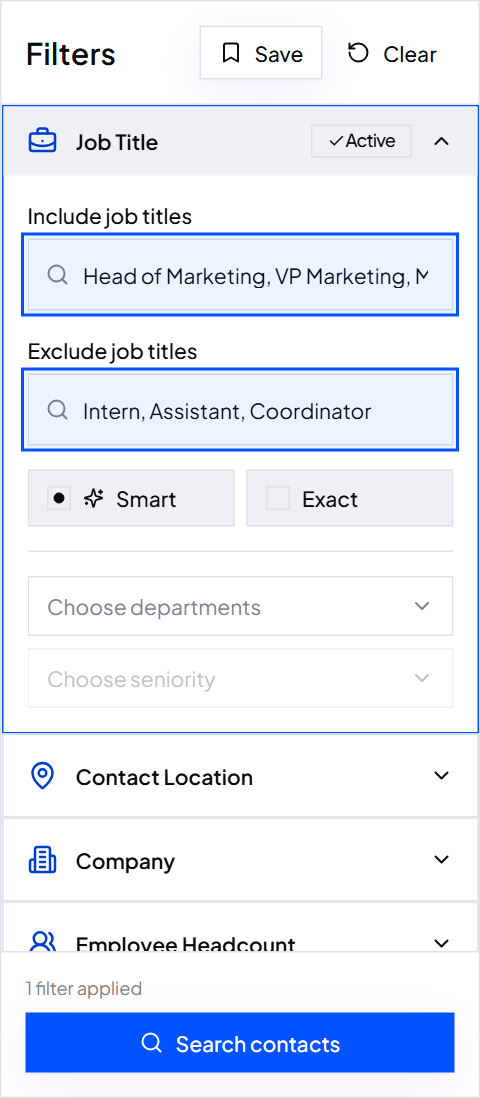
ContactYard searches 100M+ verified B2B prospects with Job Title, Company name, Company Domain, Employee Headcount, Revenue, Location, Industry, Keywords and Services. Every row includes the LinkedIn URL.
- Job Title: Smart, Exact and Exclude modes. Smart finds Director of HR from HR Director.
- Employee Headcount: bands from 1 to 10 up to 10000+.
- Email required and Phone required keep only reachable people.
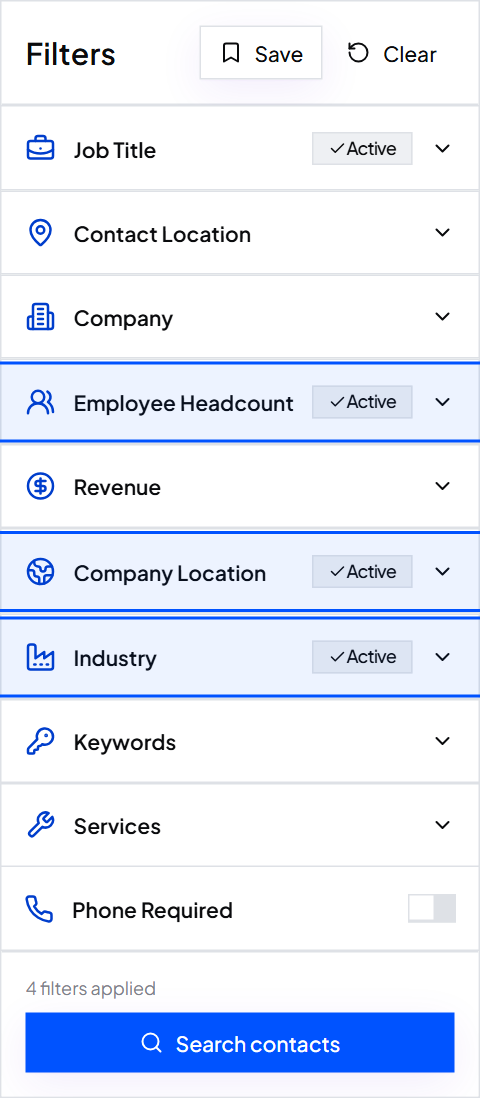
Tip: Save the search and rerun it next month to pull new matches.
Step 3: Turn profiles into reachable leads
Searched in ContactYard? You're done. Export a CSV with name, title, verified work email, mobile, company and LinkedIn URL. One credit covers email, mobile and verification.
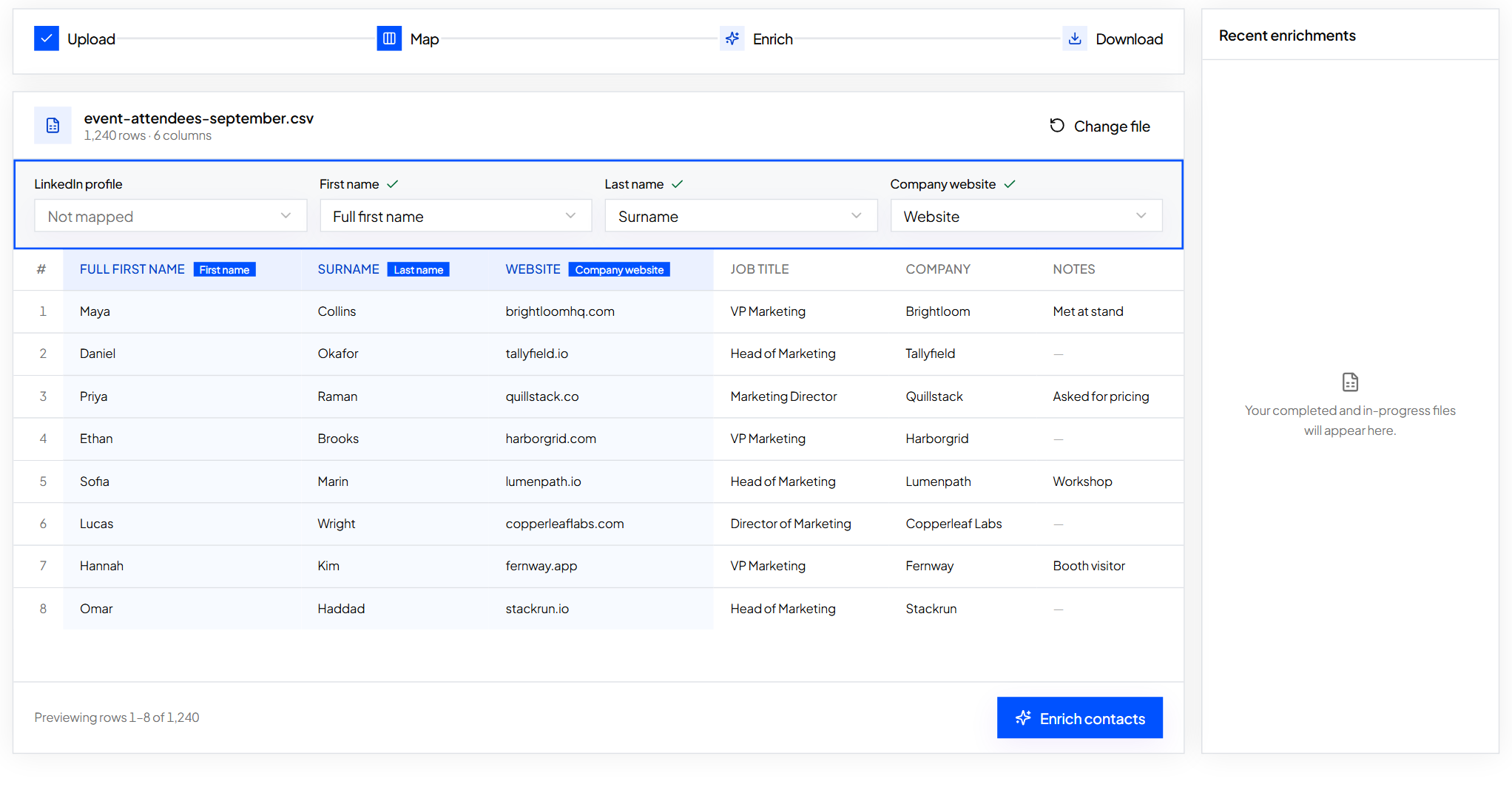
Have LinkedIn URLs or names? Upload a sheet with the profile URL, or first name, last name and company domain, to Enrich Contacts. For one profile, see how to find someone's email on LinkedIn.
Illustrative cost to turn 1,000 LinkedIn profiles into leads
- ContactYard Scale
- $3.30, mobile and verification included
- Apollo
- $18, phone uses separate credits
- Lusha
- $75, phone uses separate credits
- ContactOut
- $131
- UpLead
- $371
Other tools charge 4 to 12 credits per person; ContactYard charges one. Growth is $49 a month for 10,000 contacts, Scale $99 for 30,000. Start free.
Step 4: Combine LinkedIn touches with email
LinkedIn makes your name familiar. Email carries the offer, reaches people who skip LinkedIn, and has no weekly cap.
| Day | Channel | Touch |
|---|---|---|
| 1 | View the profile, send a connection request with a short note or none | |
| 2 | One problem, one line of proof, one easy question | |
| 4 | If accepted, a short message that doesn't repeat the email | |
| 6 | Follow-up in the same thread with a new angle | |
| 8 | Phone | Call the mobile if they opened but didn't reply |
| 11 | Comment on or react to a recent post | |
| 14 | Short last note that closes the loop |
- New words each time. If email made the pitch, keep LinkedIn light.
- Stop everywhere on a reply. Mark it in your CRM.
- Spend capped requests on your best-fit leads; let email cover the rest.
- One sending tool. Import the CSV into Instantly, Smartlead, lemlist or your CRM.
Hi Dana, I work with payroll teams at staffing firms around Denver. Sent you a short note by email about weekly pay runs. Happy to connect here too.
More on wording: how to write a cold LinkedIn message, how to write a cold email and how to follow up on an email.
Step 5: Track what turns into meetings
| Metric | What it tells you | If it's low |
|---|---|---|
| Connection acceptance | Targeting and profile look relevant | Tighten titles and headcount, fix your headline |
| Email reply rate | Offer and message land | Rewrite the first line and the ask |
| Bounce rate | Emails are real | Send verified emails only |
| Meetings per 100 leads | The whole process works | Narrow who you target |
Tip: If replies cluster in one title or headcount band, move more of your list there.
LinkedIn lead gen forms
Lead Gen Forms are paid ads with a form that fills in from the member's profile. They suit reports and webinars, but cost real money per lead and signal interest in content, not buying.
Many teams run ads for inbound and outbound for the accounts they want most. Outbound with ContactYard data costs a fraction of a cent per contact.
Strategies that work
- Account first: pick 50 to 200 companies and paste their domains into Company Domain (up to 1,000).
- Job changes: new hires set up tools and budgets. Data refreshes every 30 days, so the new email is current.
- Hiring signals: a company hiring for the role you help has the problem.
- Engage first: comment on a buyer's post a day or two before your email.
- Buyer-facing profile: your headline should say who you help and how.
Common mistakes
- Connecting with everyone. Targeting produces meetings, not network size.
- Pitching in the connection request. Save the offer for email.
- LinkedIn alone. Caps keep it small. Add email and phone.
- Guessing emails. Guesses bounce. Use verified emails.
Write down your buyer, run the search in ContactYard, and connect and email on the same day. Start free.
FAQ
- How do you do lead generation on LinkedIn?
- Define your buyer, find matching people, get each one's verified email and mobile, then contact them on LinkedIn and by email over 2 to 3 weeks.
- Is LinkedIn good for B2B lead generation?
- Yes for finding buyers, but slow for reaching them alone. Pair it with email and phone.
- Do I need Sales Navigator for LinkedIn lead generation?
- No. Free Boolean search works for small lists, and Sales Navigator still gives no emails or phones.
- What are LinkedIn lead gen forms?
- Paid ads with a profile-filled form, best for content offers. Outbound to a defined list is far cheaper per lead.
Keep reading
How to write a cold LinkedIn message
Connection notes, first messages, InMail tips and 6 templates, plus pairing LinkedIn with email and phone.
How to find someone's email on LinkedIn
Where LinkedIn shows an email, the manual methods that work, and how to get a verified work email.
How to find decision makers in a company
Who decides at each company size and department, and how to find them at 1,000 companies at once.