
What is a lead list?
A lead list is a spreadsheet of people who might buy from you, with the details you need to reach them: name, job title, company, work email and phone. Sales teams import it into a sending tool, dialer or CRM and start outreach.
You also hear it called a sales leads list or a list of leads. All three mean the same file. Each row is one person, and each person is one sales lead.
One row of a lead list (illustrative)
- Name
- Maya Collins
- Job title
- Head of Marketing
- Company
- Fernway, fernway.com
- Work email
- maya.collins@example.com
- Mobile
- +1 555 0142
- Company facts
- Software, 21 to 100 employees, United States
Columns a good lead list has
| Column | What it does |
|---|---|
| First name, Last name | Personalizes the message and identifies the person |
| Job title | Confirms you have the buyer |
| Your main channel. It must be a verified work address | |
| Personal phone | The mobile, for calls and texts |
| Company, Website | Lets you research the account and remove duplicates |
| LinkedIn URL | Gives you a second channel and a way to check the person |
| Country, Industry, Employee count | Lets you split the list and write to each segment |
Every one of these comes in a ContactYard CSV. For the exact header row your email tool wants, see the columns a send-ready list needs.
Tip: Two quick tests. Could you say why each row is on the list? Was each email verified? A no to either means rework before you send.
Three ways to get a lead list
| Way | Best when | What it costs |
|---|---|---|
| Build by hand | You need 20 very specific accounts | No data fee, but about 50 hours per 1,000 contacts at 3 minutes each (illustrative) |
| Build in a database | You want any list, sized and filtered your way | $3.30 per 1,000 contacts in ContactYard on Scale |
| Buy a file | Never the best choice for outreach | Per record or per thousand, often with a minimum, and you pay for dead rows too |
| Enrich your own file | You have names but no emails or phones | One ContactYard credit per contact found |
Build
You define the buyer, set filters and export the matches. This gives you the freshest, tightest list. In ContactYard the filters include Job Title, Employee Headcount, Revenue, Location, Industry, Keywords, Services and Company Domain, and results appear instantly with the total count.
A list built with filters (illustrative)
- Job Title
- Head of Marketing, VP Marketing, Marketing Director
- Employee Headcount
- 21 to 100
- Location
- United States
- Industry
- Software
- Email required
- On
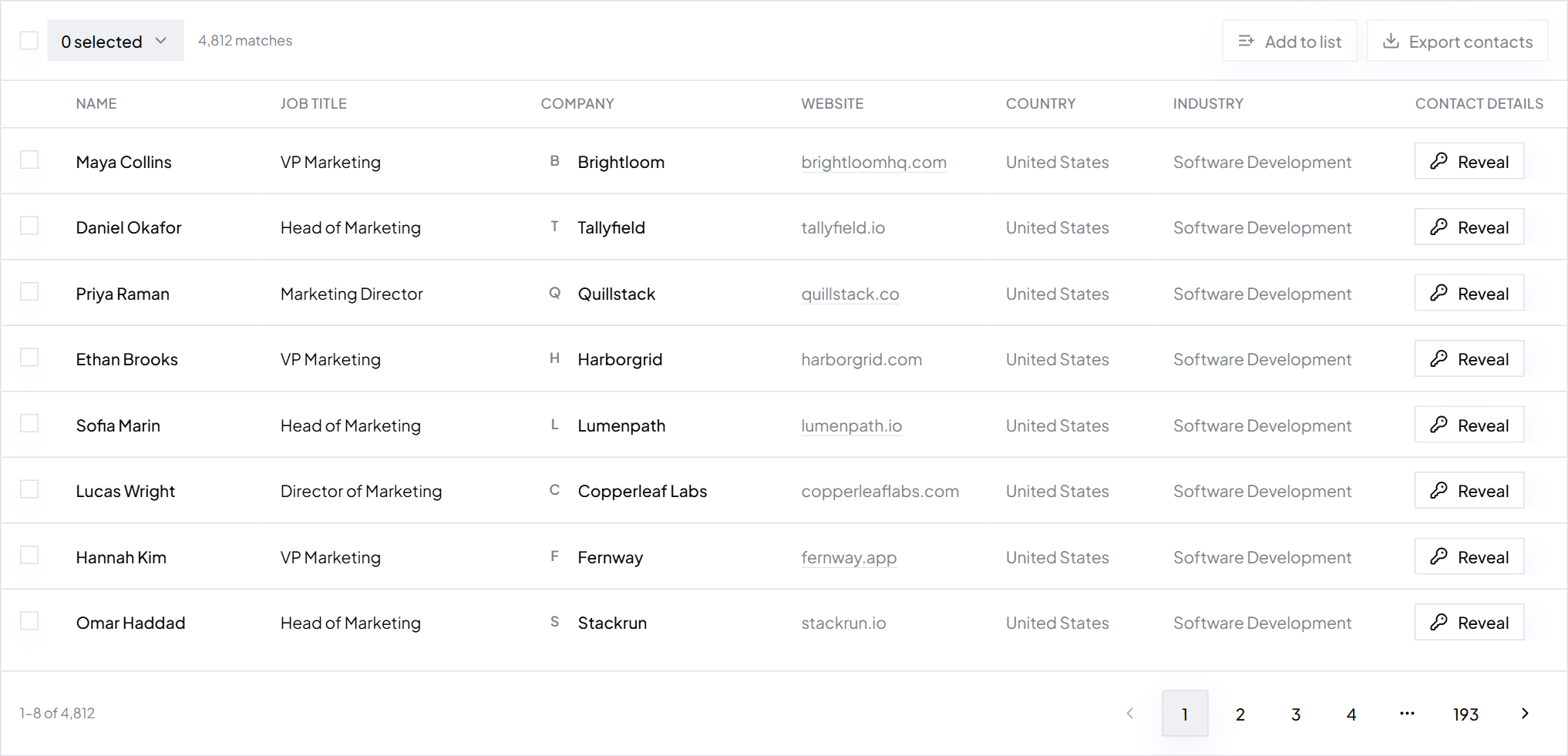
The full six steps are in how to build a prospect list.
Buy
Brokers and marketplaces sell ready-made files. You get them fast, but you get whoever the seller grouped together, as they looked when the file was made. Sellers and their traps are covered in where to buy email lists.
Enrich
You start with a list that has people but no way to reach them, like an event sheet or a CRM export. Upload it to Enrich Contacts with a LinkedIn URL, or a name and company domain, for each person. It comes back with verified work emails and mobiles beside your original columns.
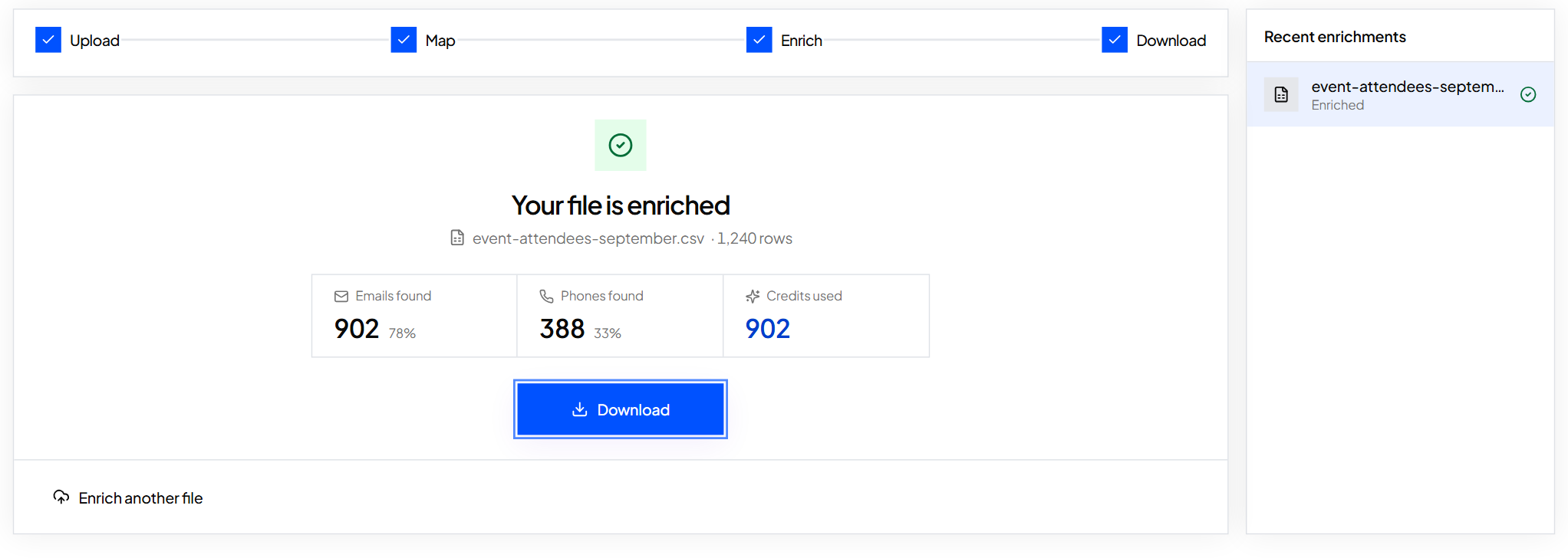
More on this: what is data enrichment and fill missing emails and phones in a spreadsheet.
What a lead list really costs
Compare the full price of a usable contact: email, mobile and verification together. Other tools charge 4 to 12 credits for that: 1 for the email, 2 to 10 for the mobile and 1 to verify. ContactYard charges one.
| Provider | Price per 1,000 contacts |
|---|---|
| ContactYard (Scale) | $3.30, mobile and verification included |
| Apollo | $18 |
| Lusha | $75 |
| ContactOut | $131 |
| UpLead | $371 |
Growth is $49 a month for 10,000 contacts. Scale is $99 a month for 30,000. Credits roll over for 2 months, so a slow month's credits carry forward.
Why a fresh, filtered list beats a bought one
| Bought file | Built in ContactYard | |
|---|---|---|
| Who is on it | Whoever the seller grouped | Exactly who matches your filters |
| Age | As old as the file | Data refreshed every 30 days |
| Email quality | You learn from the bounces | Every work email verified before you get it |
| Mobiles | Often missing or extra | Included when available, same credit |
| Size | Set by the seller | You see the total count and pick |
| Next month | Buy another file | Re-run the saved search for new matches |
Age is what kills bought lists. People change jobs and a file never updates, as how fast contact data goes stale shows. Dead addresses bounce, and bounces hurt your sender reputation.
ContactYard searches 100M+ verified B2B prospects, including ones other lead databases don't have. That makes it the fastest and cheapest way to get a lead list that works. Start free and see your count before you export anything.
Make your first lead list in ContactYard
Step 1: Describe the buyer in one line
For example: marketing leaders at US software companies with 21 to 100 employees.
Step 2: Set the filters and read the count
Add Job Title, Employee Headcount, Location and Industry. Too many results? Tighten a filter. Too few? Widen one.
Step 3: Select and export
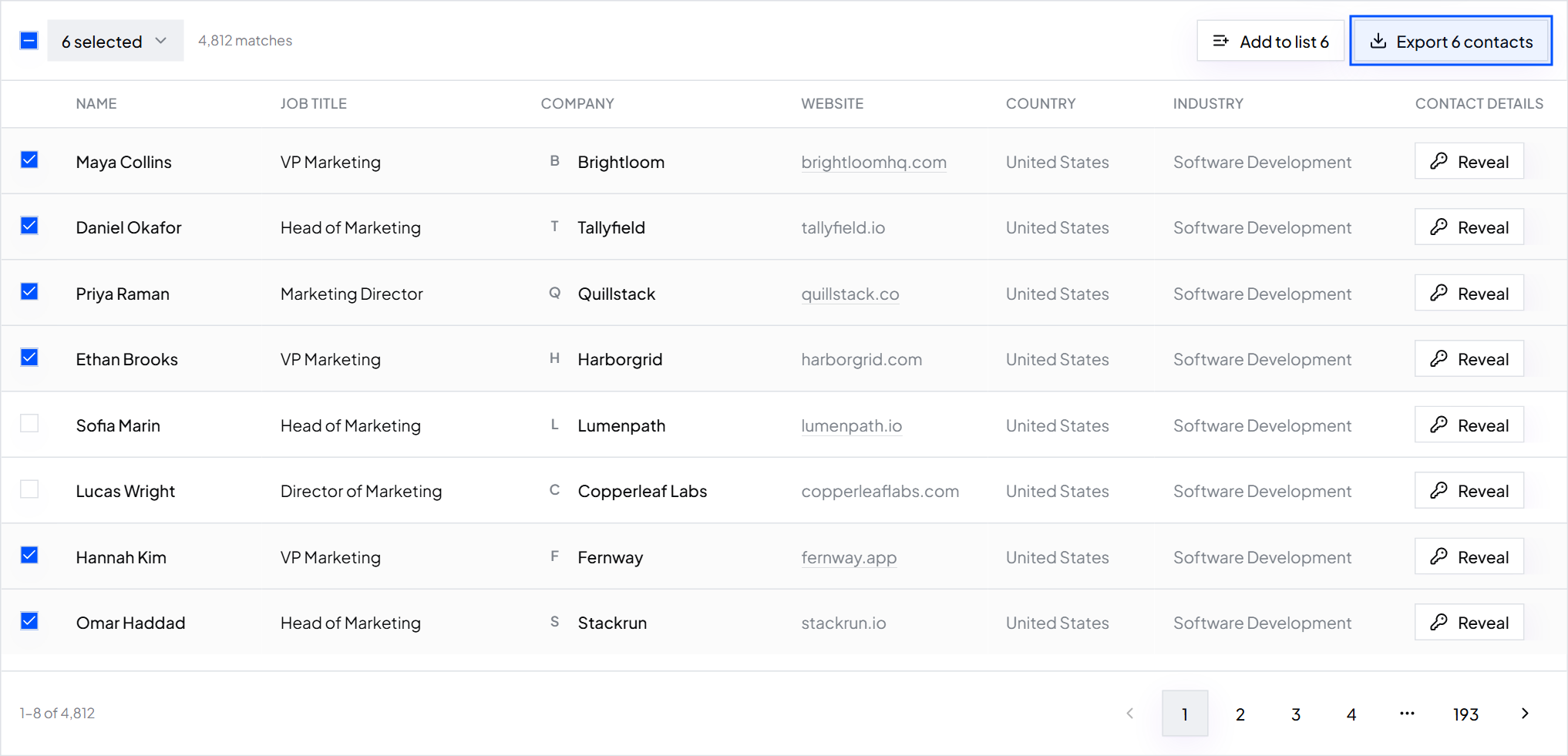
Tick the people you want and export a CSV. It imports into any sending tool: Instantly, Smartlead, lemlist or your CRM.
Step 4: Save the search
Save the filter set and re-run it later to pull new matches. Your list stays current without starting over.
FAQ
- What is a lead list?
- A spreadsheet of people who might buy from you, with the details to reach them: name, job title, company, work email and phone.
- What is a sales leads list?
- The same thing as a lead list: one row per possible buyer, ready to import into a sending tool, dialer or CRM.
- How much does a lead list cost?
- In ContactYard, about $3.30 per 1,000 contacts on Scale, with mobile and verification included. Public pricing elsewhere runs from $18 to $371 per 1,000.
- Should I buy a lead list or build one?
- Build one. A list built in ContactYard is verified, refreshed every 30 days and cut to your exact filters, and one credit covers the email, mobile and verification.
- What should a list of leads include?
- First and last name, job title, verified work email, mobile, company, website, LinkedIn URL, country, industry and employee count.
Keep reading
How to build a prospect list
Six steps from a one-line buyer description to an exported, verified prospect list, with an example.
Where to buy email lists
Where people buy email lists, what a bought list really costs, and a cheaper, fresher alternative.
The columns a send-ready list needs
A column checklist for your email tool import, with a header row to copy.