
Cold email templates: 12 examples you can copy and paste
Twelve ready-to-paste cold email templates for sales, agencies, SaaS, partnerships and follow-ups, each with when to use it, plus filled-in examples and subject lines.
A cold email template is a short, proven structure you fill in with each prospect's details. Below are 12 cold email templates you can copy and paste, each with a one-line note on when to use it, plus filled-in examples, subject line ideas and a four-email sequence. Every one is under 120 words and works in any sending tool.
Each template uses two kinds of placeholder. {Curly} variables come straight from your contact export, so your sending tool fills them in for every person. [Square] parts you write once per segment. If you're new to cold email, read how to write a cold email first: it explains why each part is there.
Pick the right template
| # | Template | Use it when |
|---|---|---|
| 1 | Problem-first | You know the pain most of your segment has |
| 2 | Quick question | You want a fast answer from a busy person |
| 3 | Case study | You have a customer result in the same industry |
| 4 | Right person | You know the company but not who owns the problem |
| 5 | Trigger event | Something just changed at the company |
| 6 | Something useful | Nobody has heard of you yet |
| 7 | Agency pitch | You sell a service and can spot a quick win |
| 8 | SaaS demo | You sell software that is easy to show |
| 9 | Partnership | You want to work with a company, not sell to it |
| 10 | After a cold call | You just called and got voicemail or a short chat |
| 11 | Value follow-up | Your first email got no reply |
| 12 | Breakup | The last email in the sequence |
Fill the variables from a ContactYard export
A template is only as good as the details you put in it. The fastest way to get those details right is a ContactYard export. Filter by job title, industry, headcount and location, watch the matching count update as you go, then tick the people you want and export a CSV. Every work email in it is verified before you get it, so you don't need a separate verifier.
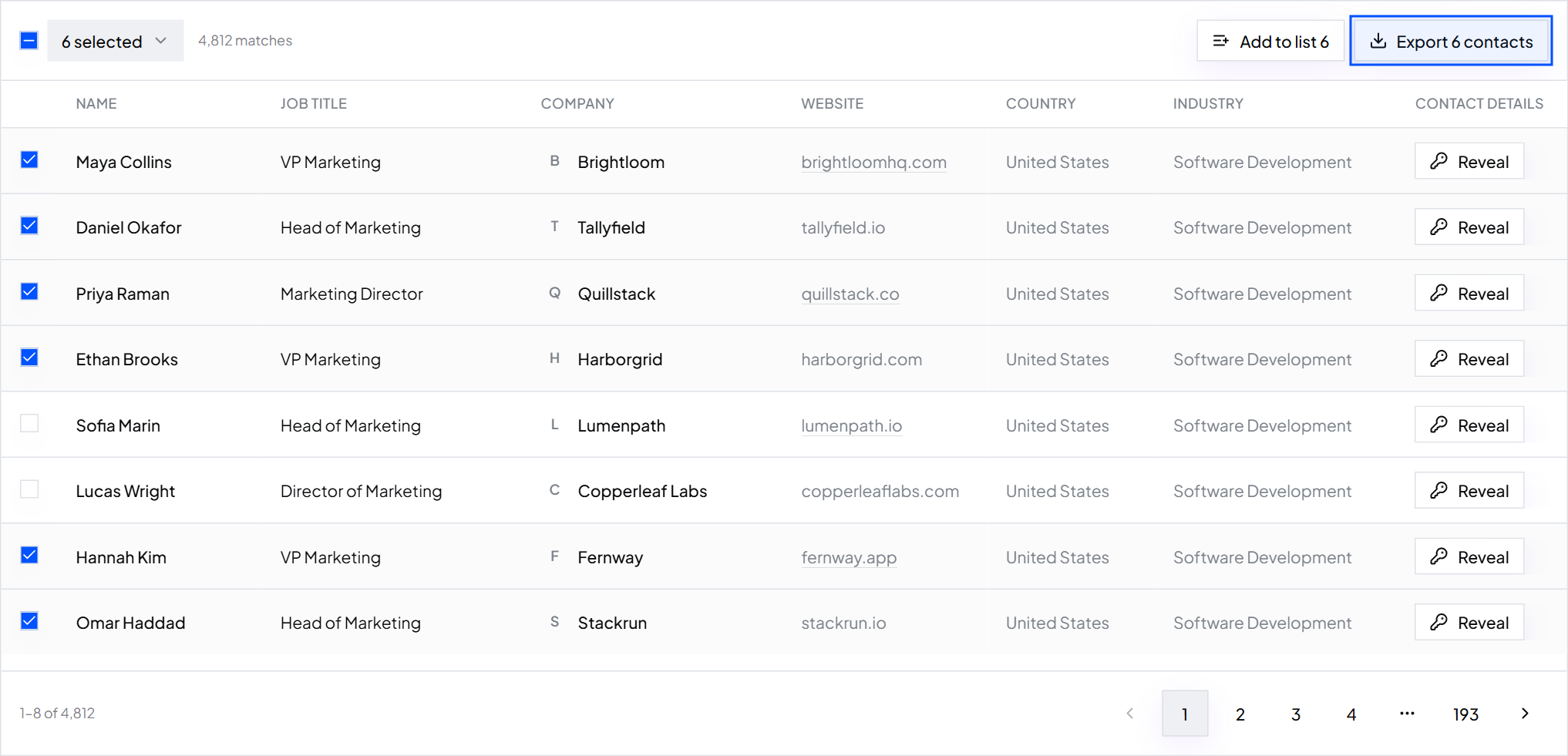
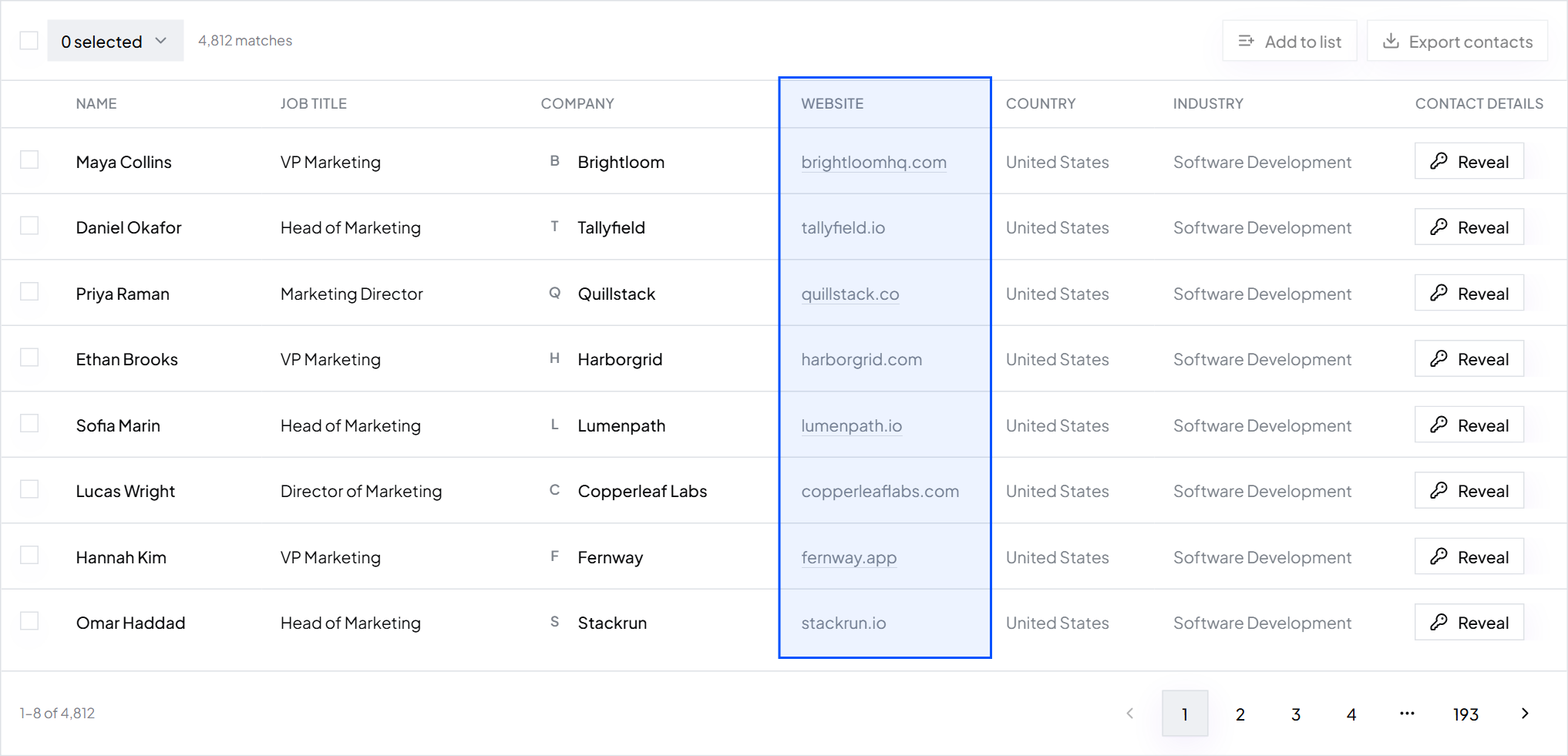
Each column in the export maps to a variable in the templates below:
| Variable | ContactYard CSV column | Example value |
|---|---|---|
| {first_name} | First name | Maya |
| {last_name} | Last name | Lindqvist |
| {job_title} | Job title | Head of Finance |
| {company} | Company | Fernway Logistics |
| {website} | Website | fernway.example.com |
| {industry} | Industry | Logistics |
| {headcount} | Employee count | 21 to 100 |
| {country} | Country | United Kingdom |
| To address | maya.lindqvist@example.com | |
| {first_line} | A column you add | Saw Fernway just opened a depot in Leeds. |
- Export one segment per file from ContactYard, so each [square] line is true for everyone in it.
- Tidy two columns. Shorten company names the way people say them (“Fernway Logistics Holdings Ltd” becomes “Fernway Logistics”) and shorten long job titles.
- Add a first_line column. Write it from the Website column, or draft it with AI and check every line. Personalise cold emails with AI shows how.
- Import the CSV into your sending tool, such as Instantly, Smartlead, lemlist or your CRM, and map each column to a variable.
- Send a test to yourself and check that no variable came through empty.
The data is the cheap part when you use ContactYard. One credit covers the verified work email, the mobile when available and the verification, where other tools charge 4 to 12 credits for the same contact. Based on public pricing for 1,000 contacts:
| Provider | Price per 1,000 contacts |
|---|---|
| ContactYard (Scale plan) | About $3.30, mobiles included |
| Apollo | $18 |
| Lusha | $75 |
| ContactOut | $131 |
| UpLead | $371 |
Tip: Already have a list of names, such as event attendees or an old CRM export? Upload it to Enrich Contacts with LinkedIn URLs, or names and company domains, and get it back with verified work emails and mobiles. Fill missing emails and phones in a spreadsheet.
The 12 cold email templates
Keep each one under 120 words when you fill it in. Put your footer, with a postal address and an opt-out line, under every email. Is cold email legal has one to copy.
1. Problem-first
When to use it: you know the one problem most people in your segment have, and you fix it.
Subject: [problem] at {company} Hi {first_name}, Most [job titles] at [type of company] tell us [problem] costs them [time or money] every [week or month]. We [how you fix it, in one line], so [result]. Is this on your list at {company} this quarter? [Your name]
Filled in, fictional
- Subject
- Carrier invoice errors at Fernway Logistics
- Greeting
- Hi Maya,
- Problem
- Most heads of finance at logistics companies tell us checking carrier invoices costs them two days every month.
- Fix
- Quillstack matches every invoice to the rate card automatically, so only the mismatches need a person.
- Ask
- Is this on your list at Fernway Logistics this quarter?
2. Quick question
When to use it: a senior person who will answer one question but won't read a pitch.
Subject: [topic] at {company} Hi {first_name}, Quick one: how does {company} handle [task] today? Most [type of company] we speak to still do it [the slow way]. We [fix] in [time]. If you're already sorted, just say so and I'll leave it there. [Your name]
3. Case study
When to use it: you have a customer in the same industry and size band as the reader, with a result you can put a number on.
Subject: how [customer] [result] Hi {first_name}, [Customer], a [type of company] like {company}, was [before: the problem in one line]. After [time] with us, they [after: the result, with a number]. I wrote up how they did it on one page. Want me to send it over? [Your name]
4. Right person
When to use it: the company fits but you don't know who owns the problem, or you want a senior person to point you to the right one.
Subject: right person for [area]? Hi {first_name}, I'm trying to reach whoever looks after [area] at {company}. Is that you, or could you point me to the right person? We help [type of company] [result], and I'd keep it to one short email. Thanks either way, [Your name]
Before you send this one, search the company in ContactYard with the Company Domain filter and a Job Title. You will usually find the owner directly and can skip the question. How to find decision makers in a company shows the search.
5. Trigger event
When to use it: something just changed at the company, such as a new site, a funding round, a new leader or a hiring push, and that change usually brings the problem you solve.
Subject: {company}'s [trigger] Hi {first_name}, Saw {company} [trigger: opened a new site / is hiring X / launched Y]. When [type of company] [trigger], [problem] tends to follow within a few months. We [fix], so [result]. Worth a short chat before it lands? [Your name]
Filled in, fictional
- Subject
- Harborgrid's new Leeds depot
- Trigger
- Saw Harborgrid just opened a second depot in Leeds.
- Problem
- When logistics companies add a site, carrier invoices usually double before anyone adds people to check them.
- Fix and ask
- Quillstack checks every invoice against the rate card automatically. Worth a short chat before your first quarter-end there?
6. Offer something useful
When to use it: nobody has heard of you, so you give before you ask. More ideas in send something useful before asking for a call.
Subject: [number] ideas for {company}'s [area] Hi {first_name}, I looked at [what you checked, e.g. your pricing page] and put together [number] ideas for {company}'s [area]. The biggest one: [one specific, useful finding]. Want the other [number]? No call needed, I'll just send them. [Your name]
7. Agency pitch
When to use it: you sell a service, such as SEO, ads, design or bookkeeping, and you can spot one fix from their website in five minutes.
Subject: idea for {company}'s [channel] Hi {first_name}, Had a look at {website}. [Specific observation about their site or channel.] We're a [type of agency] for [niche]. For [client], the same fix brought [result] in [time]. Happy to send a 3-step plan for {company}. Want it? [Your name]
Filled in, fictional
- Subject
- idea for Fernway Heating's search traffic
- Observation
- Your service pages don't show up for “boiler repair York”, but your two nearest competitors do.
- Proof
- We're an SEO agency for heating and plumbing firms. For Brightpath Plumbing, rewriting the service pages doubled calls from search in four months.
- Ask
- Happy to send a 3-step plan for Fernway Heating. Want it?
8. SaaS demo
When to use it: you sell software, the value is easy to show on screen, and you want a demo without asking a stranger for 30 minutes.
Subject: [result] for {company}'s [team] Hi {first_name}, [Team]s at [type of company] usually [painful task] in [tool or spreadsheet]. [Product] does it in [time]. [Customer] cut [metric] by [amount] in the first month. I can record a 2-minute video showing how it would work for {company}. Want me to send it? [Your name]
9. Partnership
When to use it: you share customers with another company and want referrals or co-marketing, not a sale.
Subject: {company} and [your company]? Hi {first_name}, We both serve [shared customer type]. You [what they do]; we [what you do]. Our customers keep asking us for [their service]. Would a referral swap or a joint [webinar or guide] make sense? Happy to share [our audience numbers or a few names] first so you can judge. [Your name]
10. After a cold call
When to use it: straight after a call. Use the first version when you got voicemail, the second when they picked up and said “send me an email”. Call with the mobile numbers in your ContactYard export; how to get phone numbers for cold calling covers the rest.
Subject: my voicemail, {first_name} Hi {first_name}, I just left you a voicemail. In short: we help [type of company] [result], and I think {company} could [specific benefit]. Worth 10 minutes this week, or is someone else on your team better placed? [Your name] [Direct phone number]
Subject: the note you asked for, [topic] Hi {first_name}, Thanks for picking up earlier. Here is the short version, as promised. [Product or service] helps [type of company] [result]. For {company}, the quickest win is [specific thing you heard on the call]. You mentioned [their timing or concern]. Shall I [the next step you agreed, e.g. send pricing]? [Your name] [Direct phone number]
11. Value follow-up
When to use it: 3 or 4 days after the first email, in the same thread, when you got no reply. Add something new instead of just “bumping this”. How to follow up on an email covers timing.
Hi {first_name}, One more thing on [problem]: [something new, e.g. a tip, a short result from a customer, or one useful resource]. If it's not a priority right now, no problem. Just say so and I'll close the loop. [Your name]
12. Breakup
When to use it: the last email in the sequence. It is polite, it closes the thread, and it often gets the reply the others didn't.
Hi {first_name}, I haven't heard back, so I'll assume [problem] isn't a priority at {company} right now, and I won't keep emailing. If that changes, just reply to this thread. Happy to help then. [Your name]
Cold email subject lines to copy
Keep subject lines to 2 to 6 words, in sentence case or lowercase, with no exclamation marks and no fake “Re:”. Pair each with the matching template above.
[problem] at {company} quick question about [topic] how [customer] [result] right person for [area]? {company}'s [trigger] [number] ideas for {company}'s [area] idea for {company}'s [channel] {company} and [your company]? my voicemail, {first_name} [result] in [time]? [peer company] and {company} [mutual connection] suggested I write worth a look?
Tip: Use the mutual connection line only when it is true and the person agreed. A made-up referral is the fastest way to a spam report.
A four-email sales sequence built from these templates
Most of the work in a sales cold email campaign is the follow-up. Here is a simple sequence that uses the templates above.
| Day | Template to use | |
|---|---|---|
| 1 | First email | 1 Problem-first, 3 Case study or 5 Trigger event |
| 4 | Follow-up 1 | 11 Value follow-up, same thread |
| 9 | Follow-up 2 | 4 Right person, or a second proof point |
| 16 | Follow-up 3 | 12 Breakup |
Stop as soon as someone replies or asks to be removed. Calling too? Put the call between day 1 and day 4 and swap in template 10. Then test one change at a time on 100 to 200 people per version, and keep the winner.
Mistakes that make templates sound like templates
- Unfilled placeholders. One “[type of company]” left in the email ends the conversation. Search the final copy for [ and { before you send.
- One template for every segment. The [square] lines must be true for everyone who gets them. New industry, new version.
- Messy merge data. “Hi MAYA,” or “Fernway Logistics Holdings Ltd.” looks automated. Tidy the export first.
- Copying word for word forever. A template is a starting point. Rewrite the problem line in your buyer's own words.
- Sending to a stale list. Old data means bounces, and bounces send even great copy to spam. Export fresh from ContactYard, where the data is refreshed every 30 days, and clean the list before you send.
FAQ
- What is a good cold email template?
- One that fits on a phone screen and has a personal first line, one problem, one result with proof, and one easy question. The problem-first and case study templates above are the best starting points for most B2B sales.
- Can you show me an example of a cold email?
- Subject: Carrier invoice errors at Fernway Logistics. “Hi Maya, most heads of finance at logistics companies tell us checking carrier invoices costs them two days a month. Quillstack matches every invoice to the rate card automatically, so only the mismatches need a person. Is this on your list this quarter?” Then a name, address and opt-out line.
- What is the best sales cold email template?
- For a first email, the problem-first template, because it leads with the buyer's pain and ends with a one-word question. Pair it with a value follow-up and a breakup email in the same thread, and test it against the case study template.
- What email should I send after a cold call?
- Send it within the hour. After voicemail, say you just called, give the reason in one line and ask one question. After a short call, recap what they said, name the quickest win and confirm the next step you agreed. Both versions are in template 10.
- How many cold email templates should I test?
- Two at a time, on the same segment, with 100 to 200 people per version. Keep the winner, then test it against a new challenger. Change one thing per test so you know what made the difference.
- Where do I get the data to fill cold email templates?
- Export your segment from ContactYard. The CSV has First name, Job title, Company, Website, Email and more, mapped straight to the template variables, and every work email is verified before you get it.
What to do next
Start free on ContactYard, export one segment, and paste template 1 into your sending tool today. Before you write your own version, read how to write a cold email for the rules behind every line.
Keep reading
How to write a cold email: step by step, with a before and after
Write a cold email that gets replies: the right list first, then the subject line, first line, problem, ask and sign-off, with a rewrite of a bad email and a checklist.
What is a cold email? How to send one that gets replies
A cold email is a first message to someone you have never spoken to. Learn how it differs from spam, how to set up sending, and copy a template that works.
The columns a send-ready list needs
A column-by-column checklist for the sheet you import into your email tool, with a header row you can copy.